
OpenAI DevDay 2026: what's worth adopting
- #artificial-intelligence
- ·#productivity
Your client meeting ends. AI writes a tidy summary. You still have to update the project plan and send the follow-up before the next call starts.
OpenAI's DevDay 2026 announcements target that gap. The company is putting ongoing agents, shared work, and app connections into the same place. That could mean fewer handoffs to chase when you're running the business or leading operations. For builders, it opens more ways to connect software to the work people already do.
It also creates a new expense to watch. An assistant that works while you're away can keep producing work that nobody needs.
I'd start with one recurring job and measure how much human work remains. Suppose a clean draft needs five minutes of review. That's useful. Ten drafts that each need twenty minutes of repair are a second inbox.
Below are all 25 announcements in OpenAI's recap, with the business case and the adoption decision for each. Availability reflects the launch-day sources. Suggested uses are LWD's analysis. Product performance claims come from OpenAI and AWS; we haven't independently tested them.
Where I'd start
| What eats your time | First thing to evaluate | What would make it worth keeping |
|---|---|---|
| Meetings that never become follow-ups | Meetings plugin and Pages | A reviewed follow-up and accurate action list |
| Weekly updates assembled by hand | Team Tasks | A useful report with traceable sources and fewer corrections |
| Repetitive work spread across apps | A dot with a narrow assignment | Completed work within agreed permissions |
| Building or maintaining software | GPT-6.1 Sol, Codex Cloud, and Code Review | Tested changes you can review and maintain |
| Selling a software product | Plugin extensions | Customers finish a real task inside ChatGPT |
You don't need to adopt the whole bundle. Keep the systems you already trust and test the new capability around one job.
Ongoing agents and model choices
Dots put ongoing work on an agent's desk
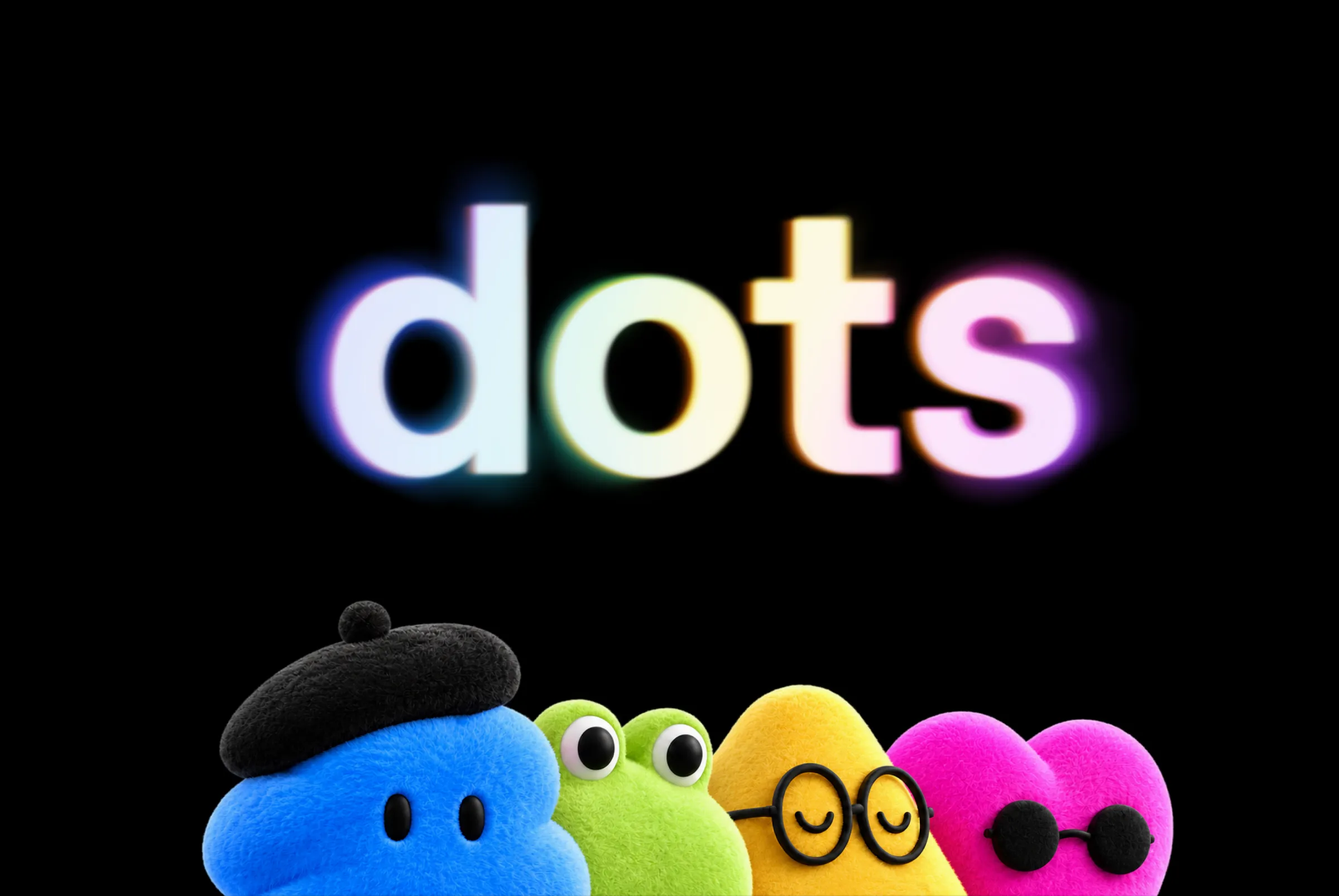
Dots are always-on agents with their own cloud computer and connected apps. They roll out to Pro and Business Premium in eligible markets; Enterprise, Edu, and Healthcare access starts as an admin-enabled beta.
A sensible first assignment would be to prepare a weekly list of customer commitments and overdue follow-ups. The benefit is continuity. You shouldn't have to explain the same context every Monday, and colleagues shouldn't have to rely on one person's memory to know what's outstanding.
Start with a bounded responsibility and keep client messages subject to approval. OpenAI says dots' proactive research uses read-only tools, while requested tasks follow action rules and approvals. That distinction matters. Background awareness and permission to send an invoice are different powers.
A useful dot should leave you with fewer commitments to chase. Turn off updates that don't help you make a decision.
GPT-6.1 Sol makes capable automation cheaper to try
OpenAI positions GPT-6.1 Sol near Astra's capability at one-fifth of Astra's standard input and output token prices. It launches in the API, ChatGPT Work, and Codex, but isn't yet available in ordinary Chat. Standard API pricing is $2 per million input tokens and $10 per million output tokens.
The API lets software call the model directly. Builders should test Sol on document processing, coding, and recurring workflows that currently require a more expensive model. Lower running costs can make a daily job affordable where a weekly run was the limit.
The comparison doesn't promise an 80% reduction in your total bill. Tool calls, retries, and human review still cost money. Run the same real examples through your current setup and Sol, then compare cost per accepted result. A cheaper answer that needs more repair can lose that comparison.
Ultrafast is for work where waiting costs you
Ultrafast adds a premium speed tier. OpenAI reports up to eight times faster token generation in Codex. Tokens are the pieces of text a model processes and produces. Astra Ultrafast launches now; Sol Ultrafast is coming soon.
Speed matters when a person is waiting for an interactive assistant or a developer repeatedly stops to wait for code. It matters less for a report that runs overnight.
Time the entire job before paying more. Faster text generation won't speed up a slow CRM query or an approval sitting in your inbox. Use the premium tier selectively where model response time causes the delay.
Private Intelligence addresses a specific data concern
Zero Data Retention with Private Safety Processing supports automated safety review without OpenAI personnel reading protected content. Encrypted safety records stay in customer-controlled storage with a 30-day expiration. "Zero retention" here doesn't mean no records exist anywhere. Private Inference is a separate confidential-computing preview planned for the fall.
This matters when client requirements prevent you from using AI on documents you otherwise spend hours processing. It may make a blocked workflow possible.
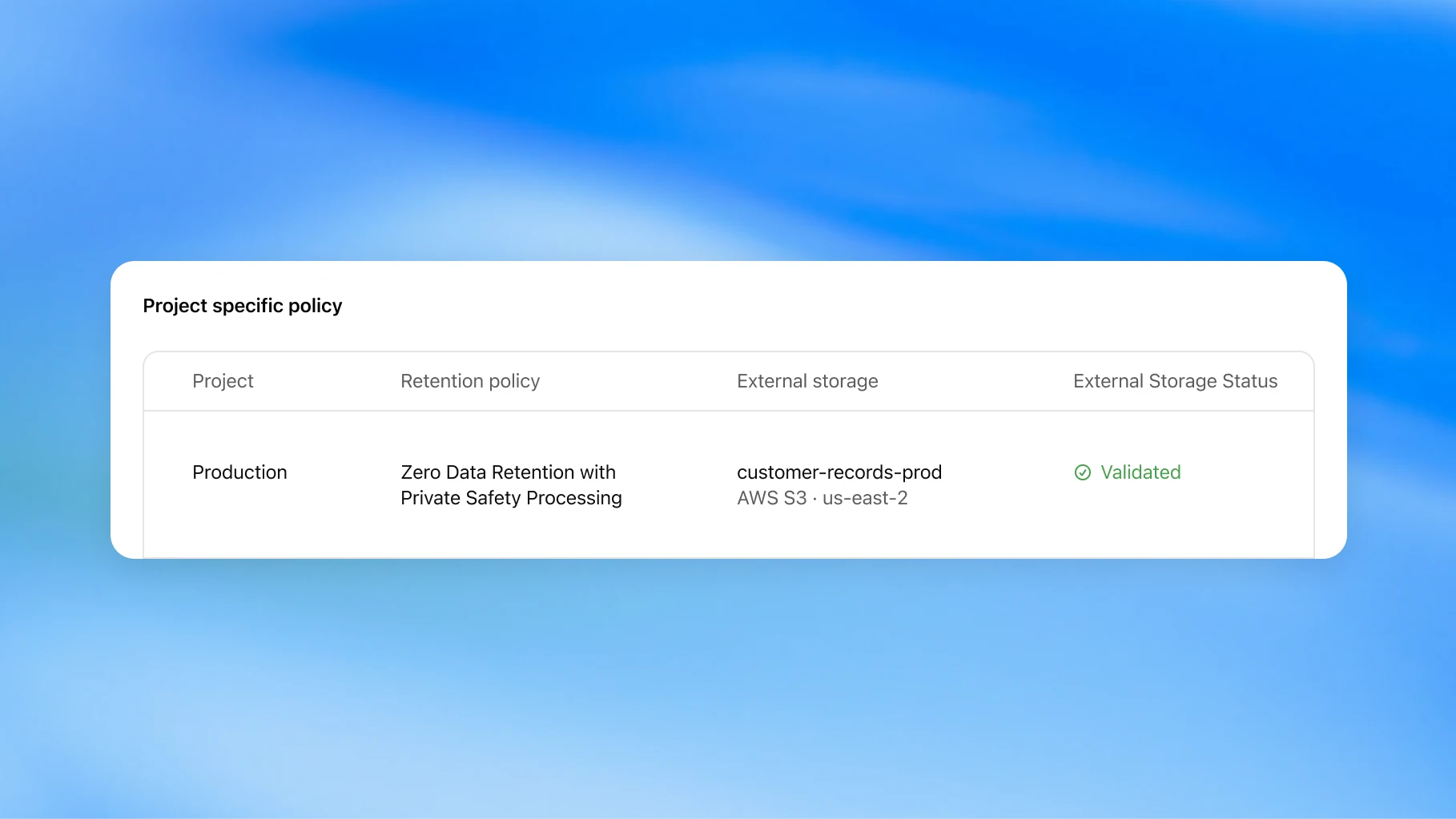
Ask where content lives throughout the whole job, including connected apps, logs, and your own storage. Private processing doesn't fix an overbroad sharing setting in another tool. Adopt it to meet a defined data requirement, with someone responsible for configuration and verification.
Building and maintaining software
Codex in the cloud reduces dependence on your laptop
Codex Cloud provides reusable development environments and separate task workspaces. You can start remote work against a prepared project setup.
For a software business, this can reduce setup friction and let maintenance work continue while a developer is away. A reusable environment also helps employees and contractors work against the same dependencies and checks as the business grows.
Give it one small bug with a clear expected result. Confirm that its environment can run your actual tests, and restrict service access to what the task needs. A completed cloud task should arrive with evidence you can review before merging or deploying.
The refreshed Codex CLI helps people already working in a terminal
The command-line interface, or CLI, refresh adds voice steering, an /agents view, and improvements to resuming sessions and managing separate working copies of code.
Technical builders may spend less effort managing several coding tasks. That is useful when a fix, a review, and a documentation update need separate work.
Use parallel tasks when you can divide the work cleanly and review the combined result. More agents create more changes to inspect. If you don't work in a terminal today, this announcement isn't a reason to learn one. Choose the interface that makes the work easier to supervise.
Code Review makes inspection a more accessible part of shipping
The desktop review experience brings summaries, diffs, and questions about changes together. Automatic cloud reviews can examine GitHub pull requests before you open them.
A solo builder gains another chance to catch a broken assumption. A development group gets a first pass on changes before human review. An operator working with developers gains a better way to ask what changed and why.
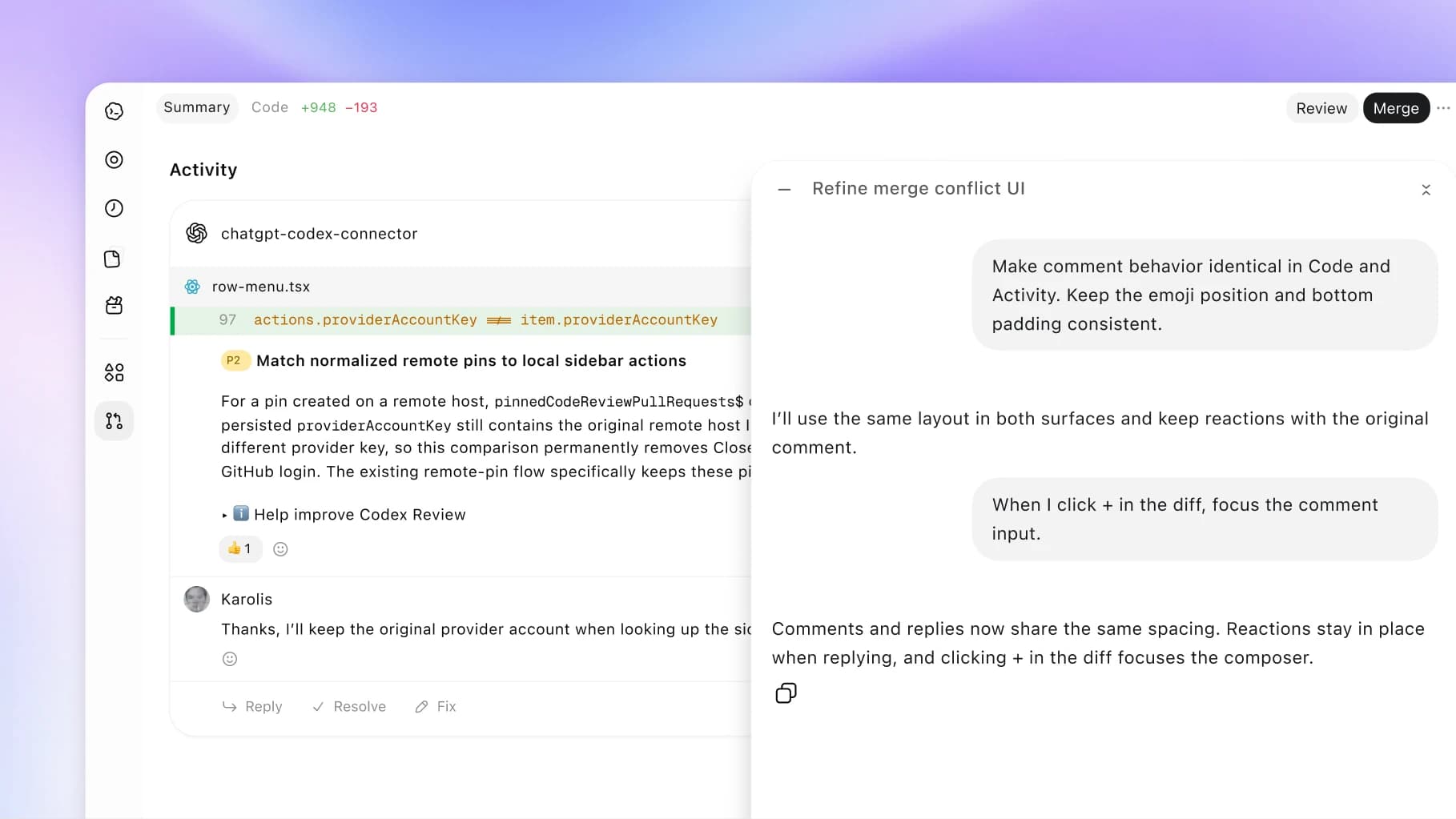
Ask the reviewer to examine concrete business risks, such as whether one client can see another client's files. Check findings against the actual changes and tests. AI review should help a person make the release decision. It shouldn't become the only evidence that the release is safe.
Codex Security Cloud turns repository scanning into recurring work
Codex Security Cloud scans connected GitHub repositories and monitors new commits in cloud environments. The recap also describes scheduled scans, investigation, duplicate removal, and prepared fixes.
This deserves attention if you maintain customer-facing software and security checks happen only when someone remembers. Recurring investigation can help developers keep the findings backlog under control as more repositories and contributors join the work.
Assign a person to triage findings and validate fixes. Check coverage against the systems you actually run. Repository scanning won't inspect every production configuration or vendor account. A scan earns its keep when someone closes the findings that matter.
Decisions API fits the small choices inside a workflow
Decisions API uses Luna to answer user-defined questions with finite, predefined answers using text or image context. It starts in limited preview, with broader release planned in the coming days.
Think of routing an incoming request to sales, delivery, or human review. A constrained answer is easier for software to act on than an open-ended paragraph.
This connects to the idea behind TypeSafe's Jev, which launched earlier in September. Jev takes context and predefined questions, then returns typed decisions with probabilities instead of writing a response. A typed decision is an answer in a format your software already knows how to use, such as a department, a score, or a yes/no probability. Both products put AI judgment at specific decision points inside a larger workflow.
For a business, the opportunity is the sorting that happens hundreds of times: which inbox gets a request, whether a document needs review, or which tool should handle the next step. I'd evaluate Decisions API and Jev against the same real examples once access allows. Compare incorrect decisions, response time, total cost, and how well each supports a route to human review. A valid answer format can still contain the wrong decision. Keep writing and open-ended work with a model suited to those jobs, and use a decision model where the possible outcomes are already clear.
Builders should define an unknown or review route and test confusing examples before connecting the result to actions. Operators should care when inconsistent sorting causes delays. Use ordinary rules for exact fields and fixed thresholds. Spend model intelligence on the cases that require interpreting meaning.
Agents API with computer use can bridge software that lacks useful integrations
Agents API now supports computer use in hosted environments. Its browser guide includes website access decisions, sign-in handling, saved activity, and session recovery.
This may help with a portal where someone repeatedly copies approved information into forms. OpenAI runs the underlying environment, reducing infrastructure work for builders.
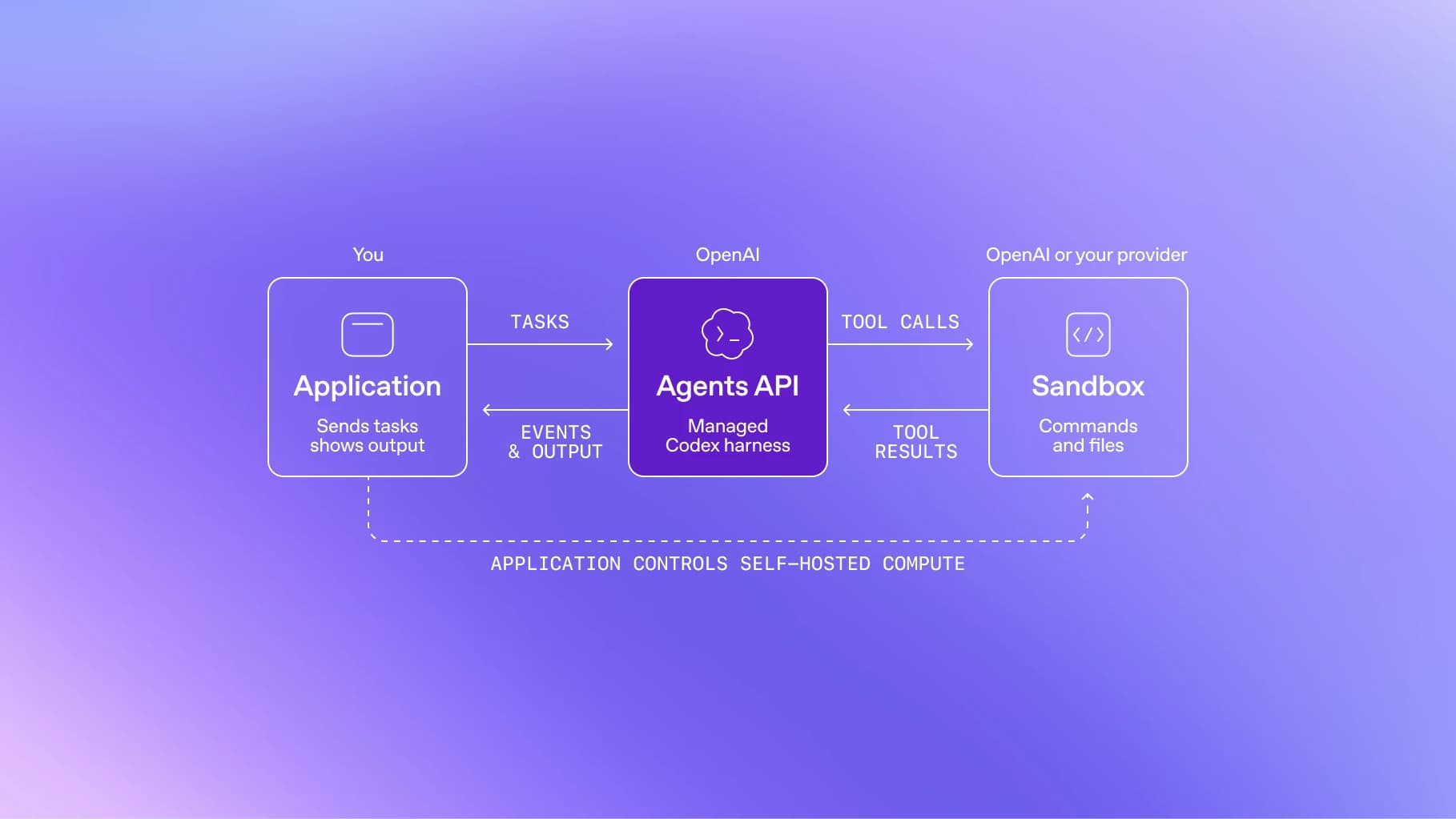
Prefer a supported API when one can do the job. Clicking through a website introduces layout changes, timeouts, and uncertain completion. Require the agent to verify the saved result, and design retries so they don't submit the same record twice. Start where a mistake is easy to detect and reverse.
Bedrock Managed Agents is relevant if you're already on AWS
Amazon's preview combines OpenAI capabilities with AWS-native identities, permissions, and services. AWS says the agent runtime and model inference remain inside AWS.
A business with an existing AWS application may gain a shorter path to agents that use its data and account controls.
Evaluate it against that existing setup, including preview limits, supported regions, operating costs, and the developer time it requires. If you don't already use AWS, this announcement is unlikely to be your best first step. Adding a cloud platform to automate weekly reporting creates more work than the report.
Plugins and connected workflows
Plugin extensions give software a place to work inside ChatGPT
Plugin extensions support sidebar apps, conversation panels, settings, and other ways for users to interact with a product.
For a software builder, this creates a new place to serve customers. For an operator, it may reduce the copying between a conversation and the tool where work happens.
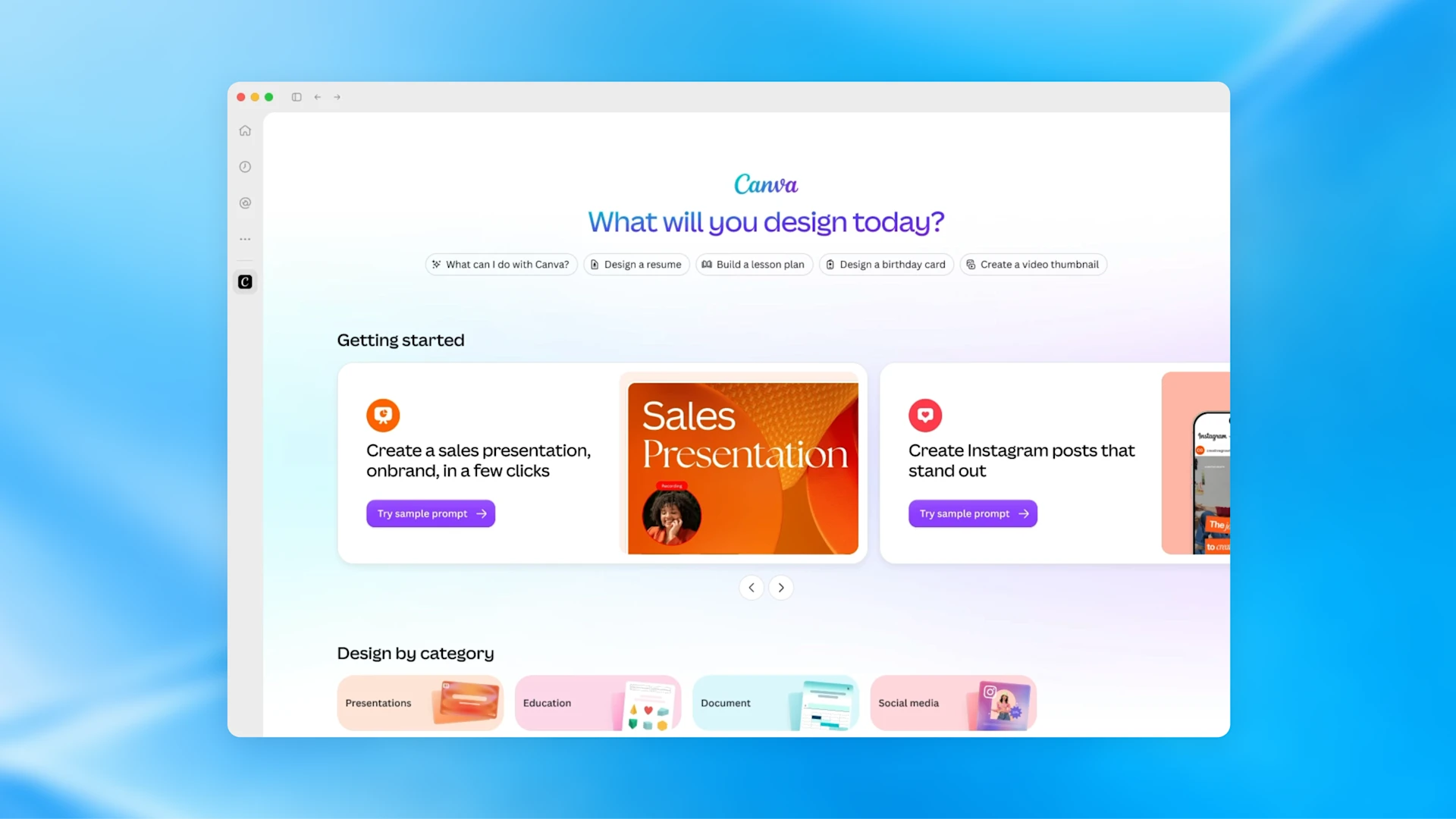
Build around one task customers already want to complete, such as reviewing a proposal. Check sign-in, separation between customers' data, and accessibility. Keep a path to use the product outside ChatGPT. A new distribution channel should earn its maintenance cost.
Better plugin creation and discovery makes distribution easier
OpenAI announced Plugin Creator, clearer submission feedback, and improved discovery.
Builders may find it easier to package and distribute integrations. Operators may find relevant tools with less searching.
A directory listing gives you a place to be found. You still need a reason for someone to install. Test whether customers want to do the job in ChatGPT before building for it. As a buyer, inspect the permissions and who provides support. Start with an existing integration if it already solves the problem.
Sites can host supported plugins
Sites adds connected plugin support for shared apps, with each colleague using their own connected data and permissions.
An operations group could try an internal project-status app without commissioning a full application. Picture delivery and sales checking the same project status while keeping their own tools. That shared view could cut the requests for updates that interrupt both groups.
Treat it as an internal experiment first. Confirm which plugins work, who can view the Site, and whether every user's permissions behave as expected. Decide who maintains it when the source system changes. A fast build is valuable only if someone can keep it accurate. Don't assume an internal Site is ready to become a client portal.
MCP events let a connected app start the work
MCP is a protocol for connecting AI to tools. MCP Events adds subscriptions so changes in an app can trigger work. ChatGPT's implementation supports webhook delivery using a draft specification.
For example, a new project request could start a draft delivery plan without someone copying it into a chat. The benefit is earlier action and fewer forgotten handoffs.
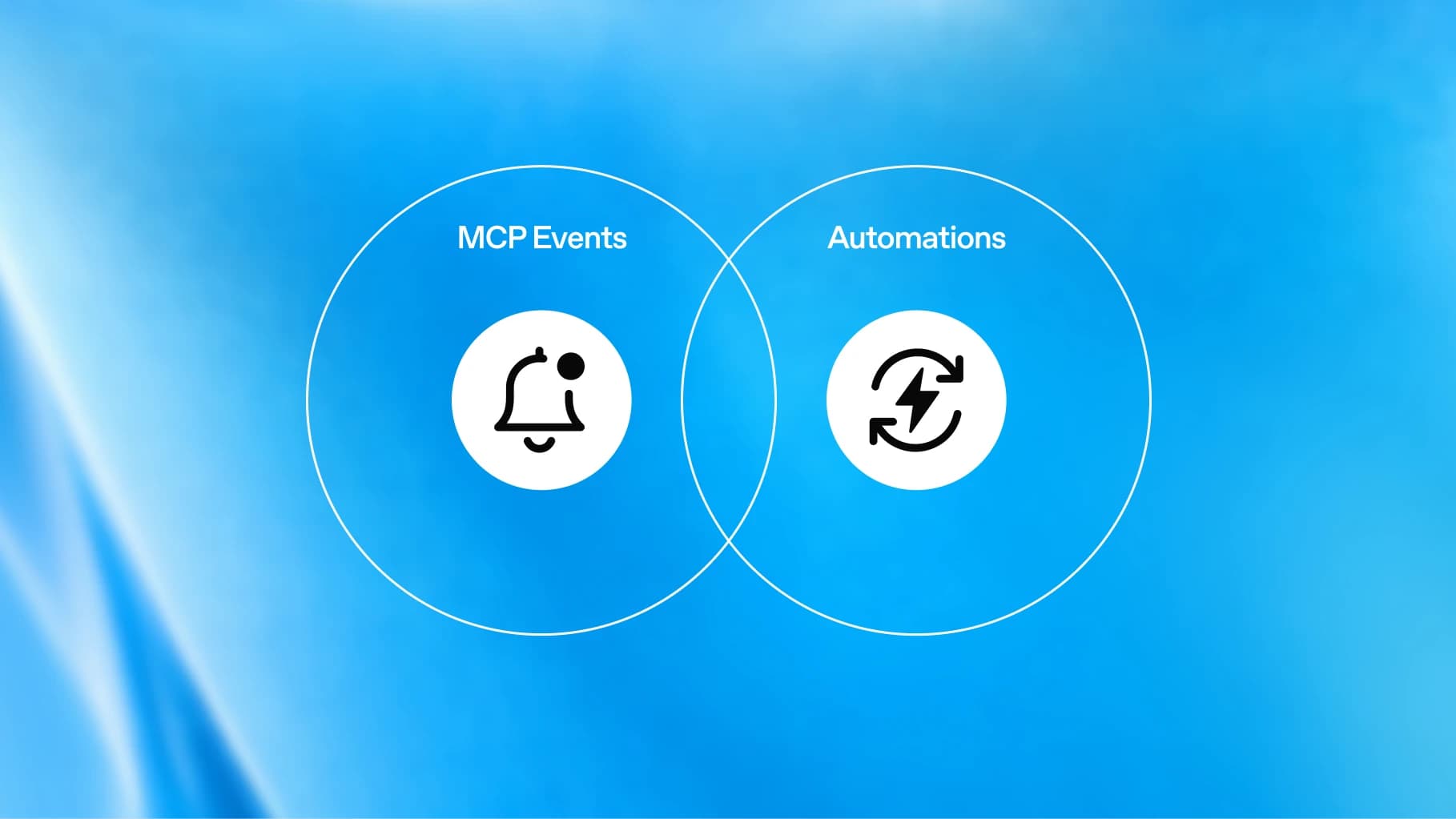
Builders should verify callbacks, prevent duplicate actions, and record failed runs. Operators should decide who handles those failures. Keep an existing reliable automation until the replacement proves it can handle exceptions.
Shared work and fewer handoffs
ChatGPT Space gives shared context a home
Space holds shared work and context for people and agents. It launches on Pro, Business, and Enterprise, with mobile reading and sharing but no mobile editing at launch.
It could reduce repeated briefing when several people work on the same client account. Start with one internal project and a small collection of approved reference material.
Choose where authoritative records live before adding another workspace. If signed scope stays in your existing document system, say so. A second copy that drifts makes an assistant worse at answering questions. Test how you'll retrieve and export work before moving more into Space.
Pages make the output something colleagues can work on
Pages support shared documents, research, visualizations, and real-time edits with people and AI.
Use a Page for an internal project brief or a recurring account review. The benefit is a document people can revise together, instead of several disconnected chat answers.
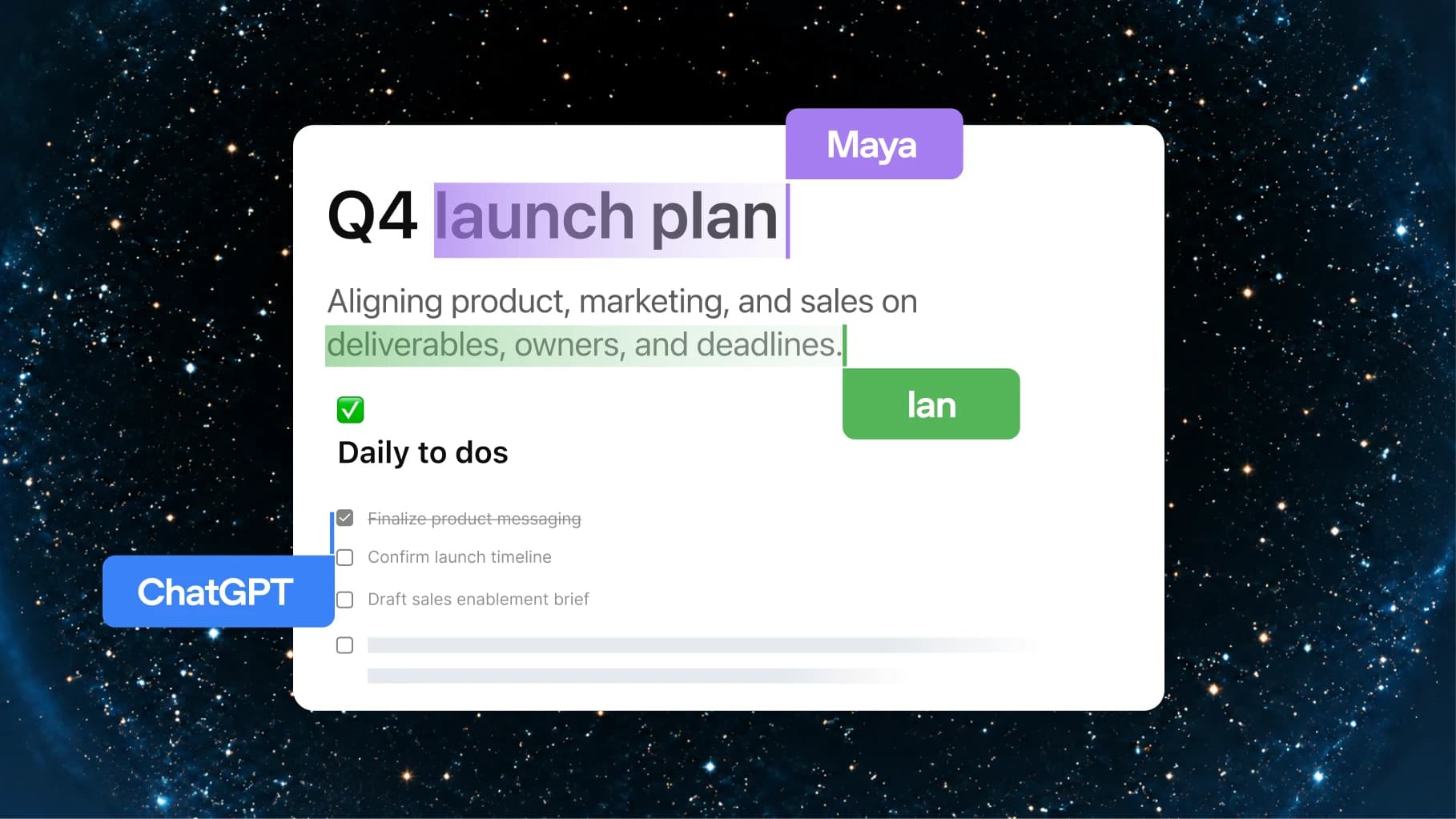
Name an owner and keep links to the original evidence. If an agent updates the document, review changes that affect scope, deadlines, or commitments. A document that stays current can save work. One that silently rewrites an agreement can create it.
Collaborative slides may shorten report production
OpenAI announced shared slide editing with AI and export options. Availability is planned for the coming weeks.
If you rebuild customer reports or operating-review decks each month, watch this. Shared templates and edits could reduce assembly time, especially when several people contribute numbers and commentary.
Wait until you can test your own template and exported file. Check chart accuracy, editable text, and how the deck looks in the presentation tool your client uses. The useful question is whether reviewers approve it with fewer corrections. Producing more slides isn't a business outcome.
Teams and shared tasks can take recurring reporting off one person's calendar
Team Tasks run on schedules or app events using a team's service account and configured connections. They use workspace credits and separate team spending limits.
Try a weekly internal project update with links to supporting records. Shared instructions mean the job needn't depend on one employee's personal chat. Launch access requires Business or Enterprise.
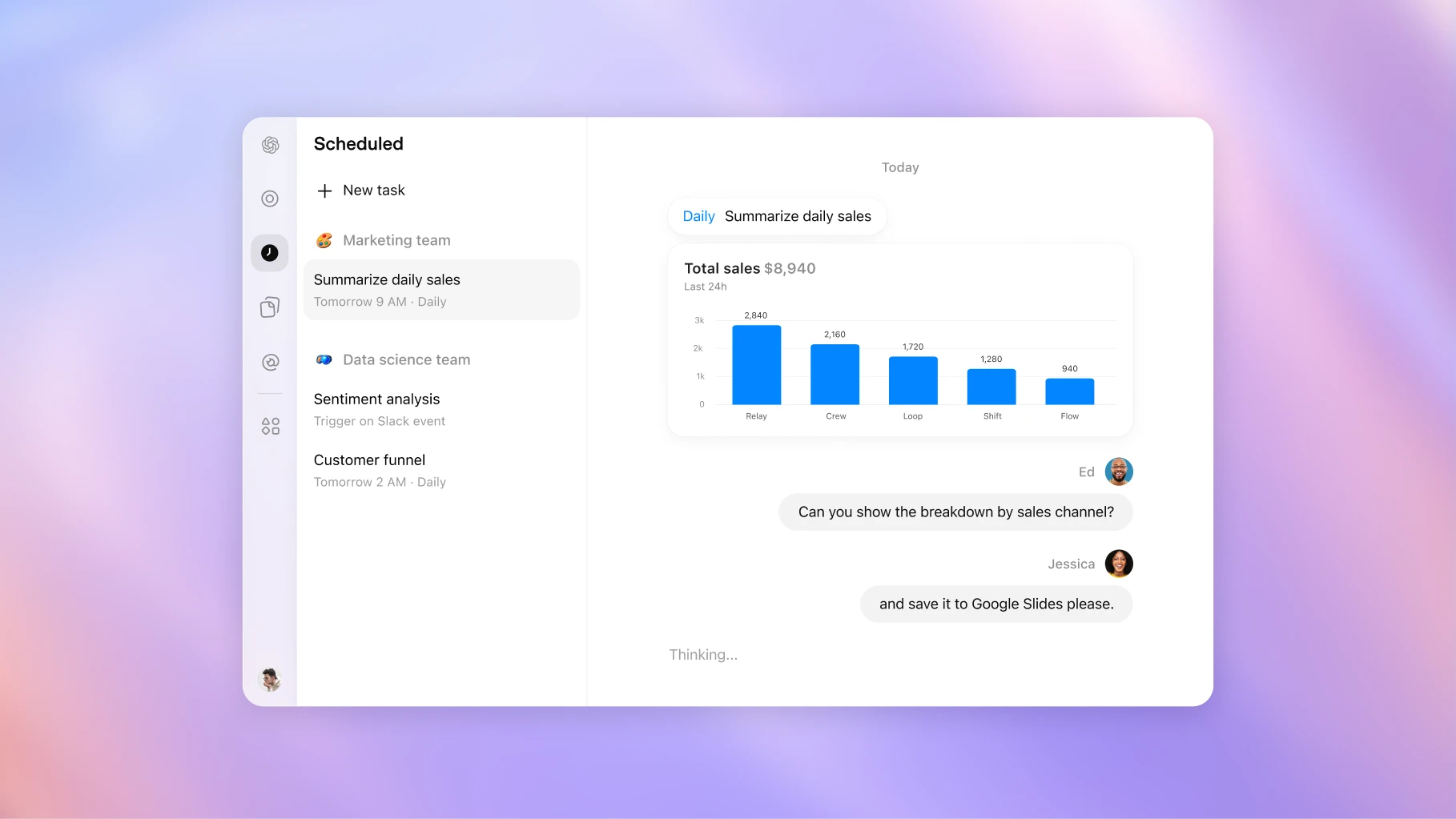
Assign someone to check missed runs, inaccurate summaries, and spending. Review the connected account's access as well as membership. OpenAI's guide notes that a shared connection may expose information beyond a member's personal access. Keep customer and departmental boundaries intact as more people join shared tasks.
@ChatGPT in Slack and Teams meets colleagues where they already work
People can mention ChatGPT in enabled conversations and use connected tools. Individual ChatGPT licenses aren't required for colleagues in enabled channels; access depends on the organization's setup.
This may improve adoption if nobody remembers to open a separate AI workspace. Try asking it to summarize a project thread with unresolved decisions and source links.
Inspect which accounts it uses and where the answer appears. Reading a private document and posting its contents to a wider channel are separate decisions. Keep early uses focused on information the channel's members should already see.
Meetings should earn its place through the follow-up
The Meetings plugin creates personalized notes and suggested actions in Space. It launches as a macOS desktop beta for Pro and Business. OpenAI says audio is deleted after notes are ready and can't be replayed.
This is one of the most practical announcements if customer calls and internal meetings generate work that slips between people. Test whether a meeting becomes a useful task list with named owners and a reviewed follow-up.
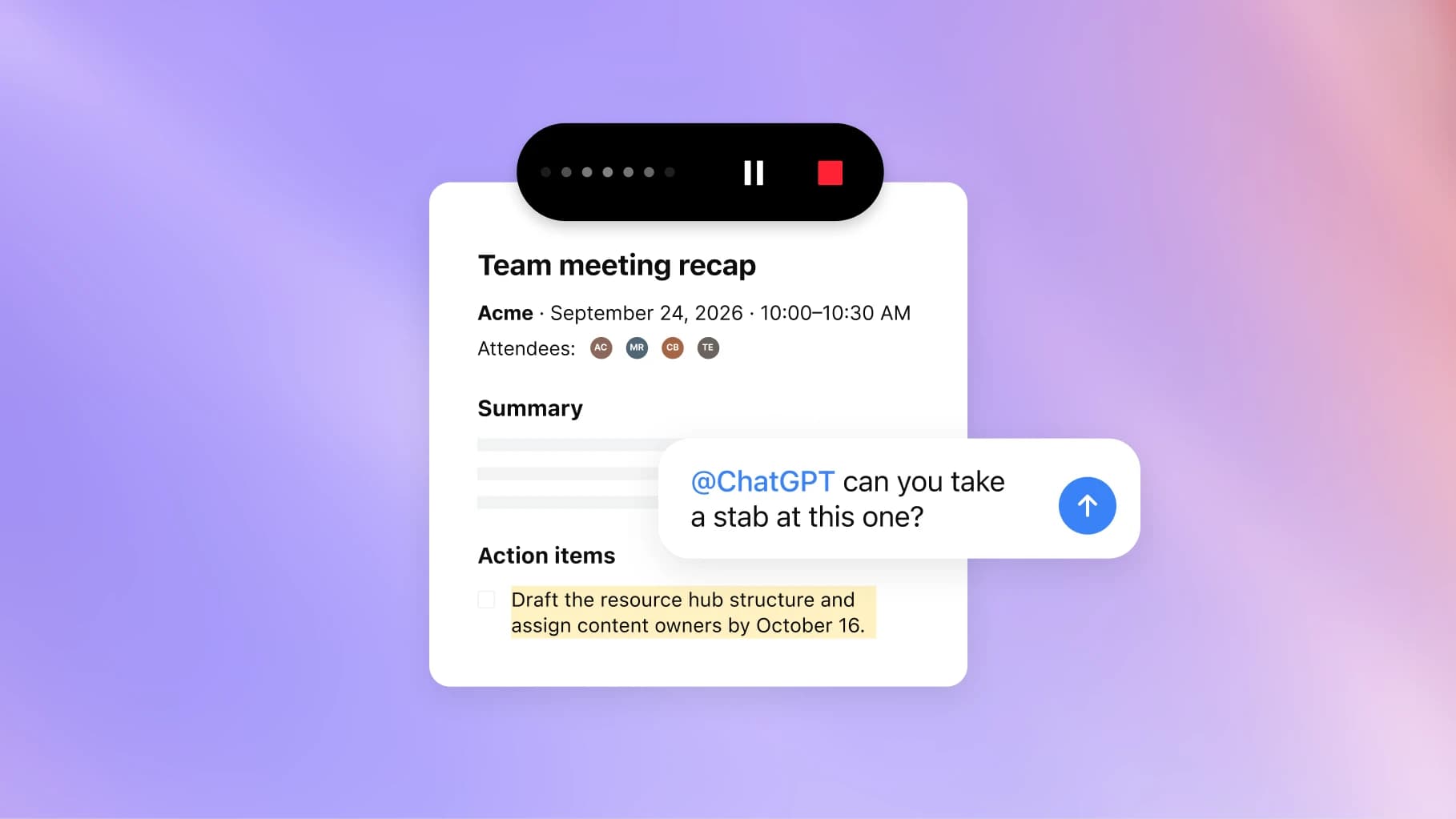
The guide requires everyone to consent before note-taking. Its reminder doesn't notify participants for you. Also verify names, amounts, and commitments before acting on the notes. If you need replayable audio for your workflow, this tool's deletion behavior may make it a poor fit.
Shareable profiles can help people reuse your work
Profiles collect creations such as Sites and plugins. Public profiles require viewers to sign in to ChatGPT; workspace profiles provide a separate sharing context.
A builder could use a profile to make useful tools easier to find. A firm could help colleagues discover internal resources.
Treat this as distribution, with a privacy review before sharing. Check the visibility of each artifact and remove client-specific examples. Keep your own website as the dependable public reference if prospects need access without a ChatGPT login. A profile helps someone try your work; it doesn't explain the whole business.
Subscriptions and purchasing
Sign in with ChatGPT can make an existing allowance more useful
Participating apps can offer ChatGPT sign-in and optional use of a Plus or Pro allowance. Users can set weekly limits per app without sharing an API key.
This could reduce separate AI billing when you already use a participating tool. Review what the app charges separately before assuming it replaces a subscription.
Identity sign-in and permission to spend your allowance are separate choices. Set a small limit first, then watch whether partner activity leaves enough capacity for your normal work. Shared allowance helps only when you can predict who will consume it.
Pro 500 is a capacity purchase for heavy users
Pro 500 costs $500 per month in USD and includes Astra Ultrafast. The recap advertises 25 times the Plus allowance.
Consider it if usage limits regularly stop revenue-related work or model delays consume a meaningful part of your day.
Compare the incremental monthly cost against the time you actually lose. Check whether the tasks causing the problem benefit from Ultrafast and whether the plan fits your business's access needs. Higher capacity won't improve a process nobody uses. Keep your current plan until you can name the constraint the upgrade removes.
OpenAI Marketplace matters when you have an eligible commitment
Eligible customers can apply part of an existing OpenAI commitment toward partner products.
If your business already has an eligible contract, this may give you another way to pay for software you need. Check your contract before spending time on the program. Without an eligible commitment, there's little to act on here.
Check eligibility, covered spend, and the partner's terms. Don't buy an unnecessary product to use a commitment, or assume Marketplace purchasing grants new data permissions. Put this on the agenda when you're reviewing an existing software purchase or renewal.
The adoption test I'd use this week
Pick one job that repeats and has a clear finish. A weekly customer or project update is a good example. Give the experiment one owner and a short review period, such as two weeks.
Write down what the assistant can read, what it can change, and what needs your approval. Then track:
- How long the job took before, including collecting information.
- How much review and repair the AI result needs.
- Whether the result is correct, complete, and on time.
- Subscription and usage costs, plus time spent maintaining the workflow.
- What happens when information is missing or the run fails.
Count the time until you can use the result, including your review. That's the number to compare with doing the job yourself.
Keep the experiment if it removes work without creating an unacceptable error risk or maintenance burden. Before expanding it to more people or departments, confirm who owns the instructions, access, and failed runs. Stop if your process changes so often that the assistant needs constant rebriefing. Writing down the process may be the better first investment.
Choose the report or follow-up you keep putting off. Write down what a finished job looks like, connect only the tools it needs, and review its first few runs. Give it more responsibility once the results justify it.
Put one of these ideas to work
If one of these announcements brings a recurring job in your business to mind, bring it to a call. We'll talk through how the work happens today, which tools you already use, and whether AI can take on a useful part of it. I'll give you a straight answer on what's worth trying and what needs to be sorted out first.
Schedule a 20-minute discovery call. No pitch, no commitment.
👋 Good read?
Subscribe for more insights on AI, data, and software.