
First Look at Anthropic Cowork: Personal Assistant Outside the Terminal
- #artificial-intelligence
- ·#productivity
TL;DR
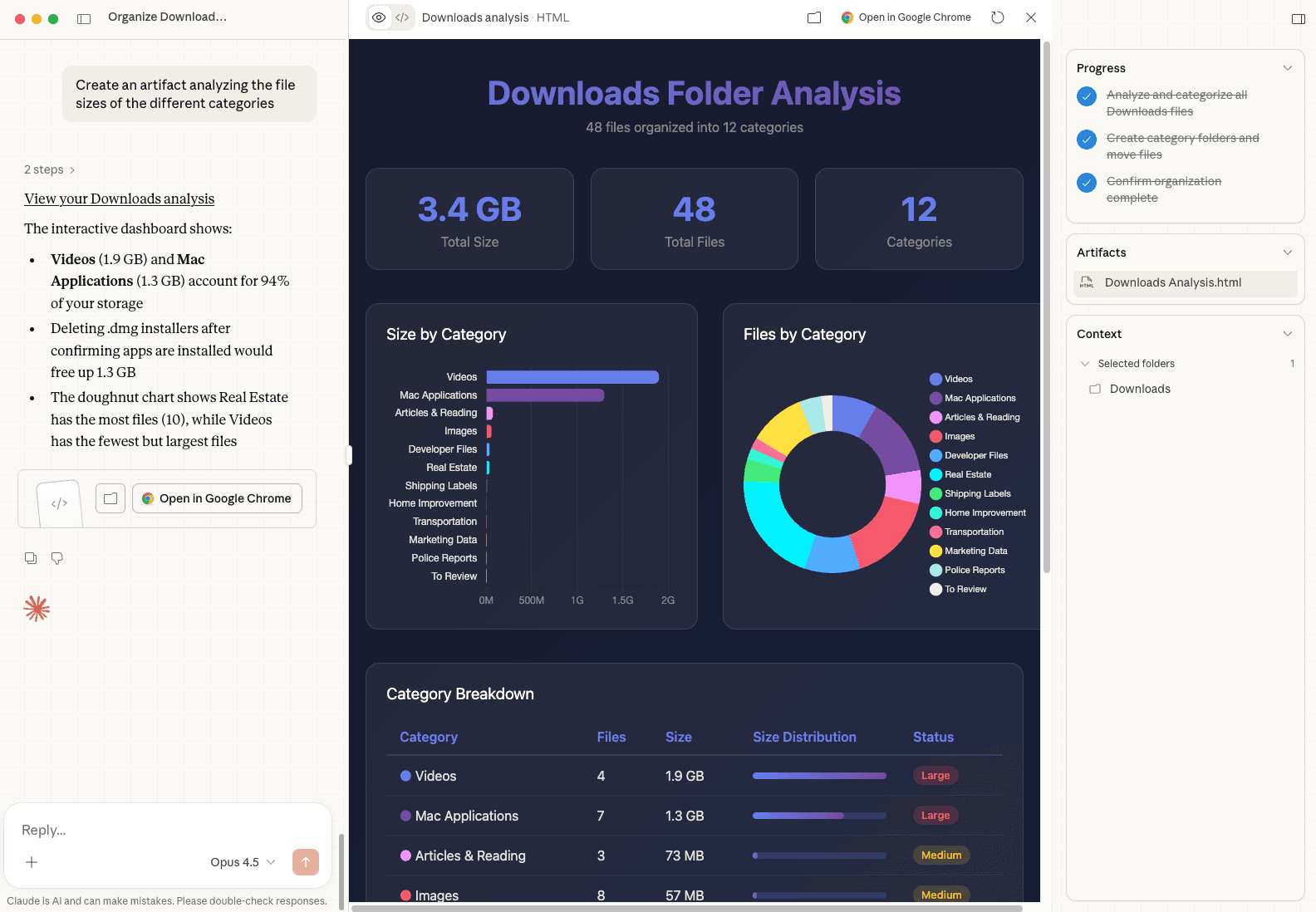
I tried out Anthropic's new Cowork product to clean up my Downloads folder. It categorized the files into categorized folders, identified duplicates, and created visualizations of disk usage. It then also created a report of its entire process and findings in my Notion. Overall it feels like Claude Code with a UI and custom Skills oriented towards low-tech personal use cases. Impressive for what it is and for how many people it can help, but I'll stay in the terminal 😄.
Intro
Anthropic released Cowork essentially as a way for everyone to "see the light" with respect to how powerful Claude Code is without dragging everyone into the terminal.
To help set the stage, you need look no further than this article by Lenny Rachitsky, which collects a lot of awesome not-code-y things people have been doing with Claude Code. The power lies in the primitives of Claude's Agent SDK, but the SDK and Claude Code are made first-class for software developers. Not everyone knows (or cares to know) how to write code or spend time in a computer terminal; hence, Cowork.
To kick the tires, I gave it a mundane, but useful task that nobody likes to do:
Help me clean up my Downloads folder. Look through the files and group them into functional categories. Include an "I Don't Know" category where you are unsure and we can review those together.
Simple enough.
File Categorization
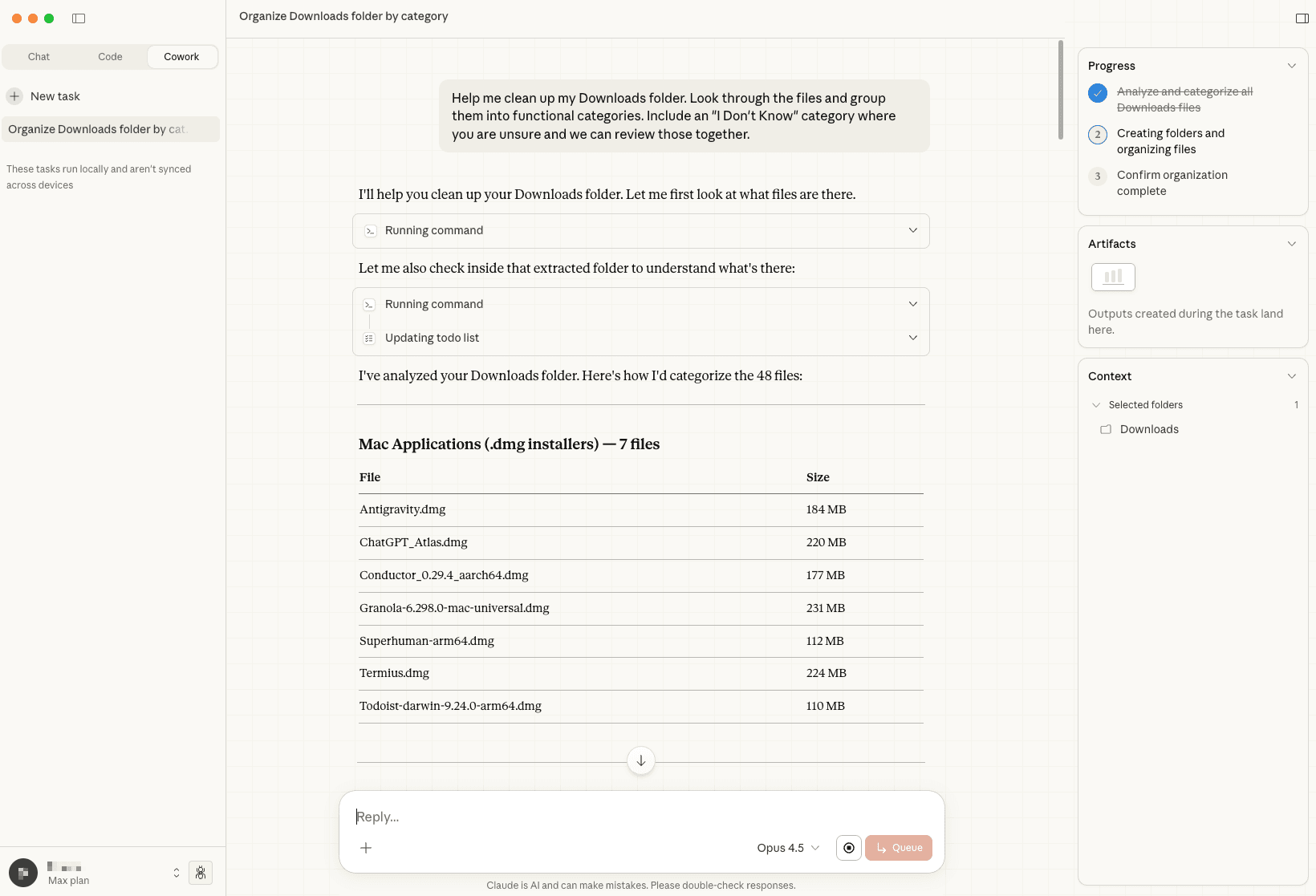 Cowork analyzing and categorizing files
It got right to work, sifting through all of the files. Notably, I had to first specify the folder that Claude has access to; that way I'm not concerned about it running amok on my entire computer and saying "oops" later on.
After a few seconds, Cowork has analyzed 48 files and presented them in a clean table with functional categories it had determined:
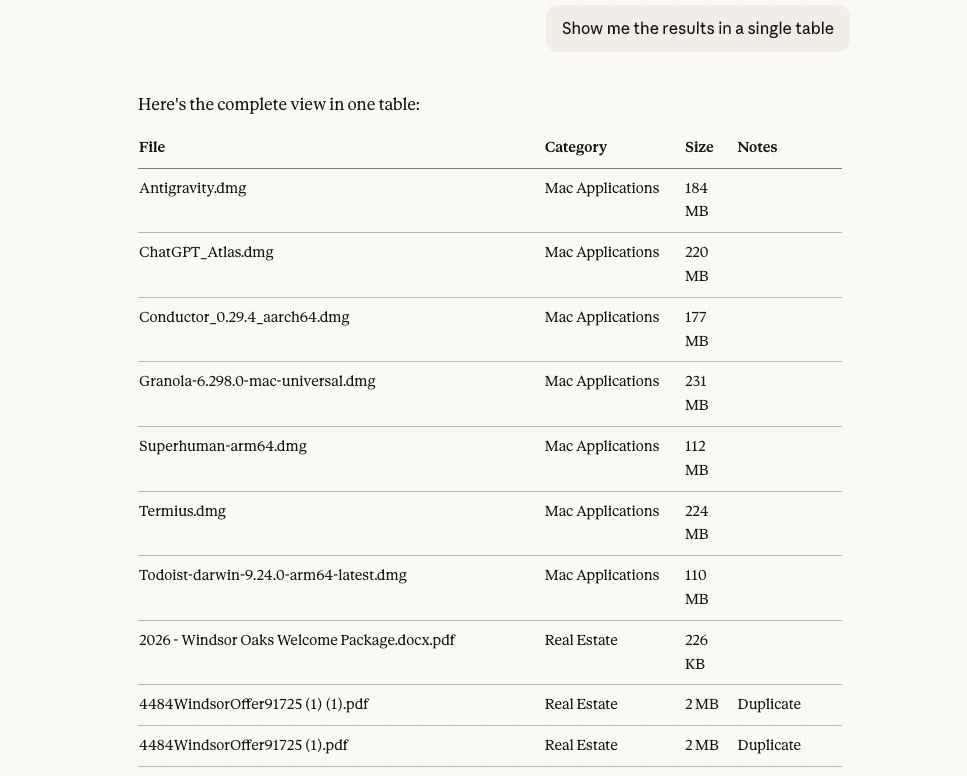 Files organized by category with sizes and notes
Past that, it also made a nice follow-up suggestion to help my end goal of organizing the persistent beast that is my Downloads folder:
Summary: 48 items total, ~3.4 GB. Identified duplicates could free up ~70 MB, and deleting installed .dmg files could free ~1.26 GB. Want me to organize these into folders?
I really enjoyed this suggestion because it shows some of the value-add of using Cowork versus ignoring it and returning to the infinite terminal of Claude Code. I know that I could create whatever Cowork-y system I would want to by using the Claude Code/SDK primitives, but Cowork has these things already baked in. Plus, it reuses the same subscription I already have, so I don't have to worry about additional costs (setting aside differences of how Cowork vs a bespoke Claude Code setup consumes tokens).
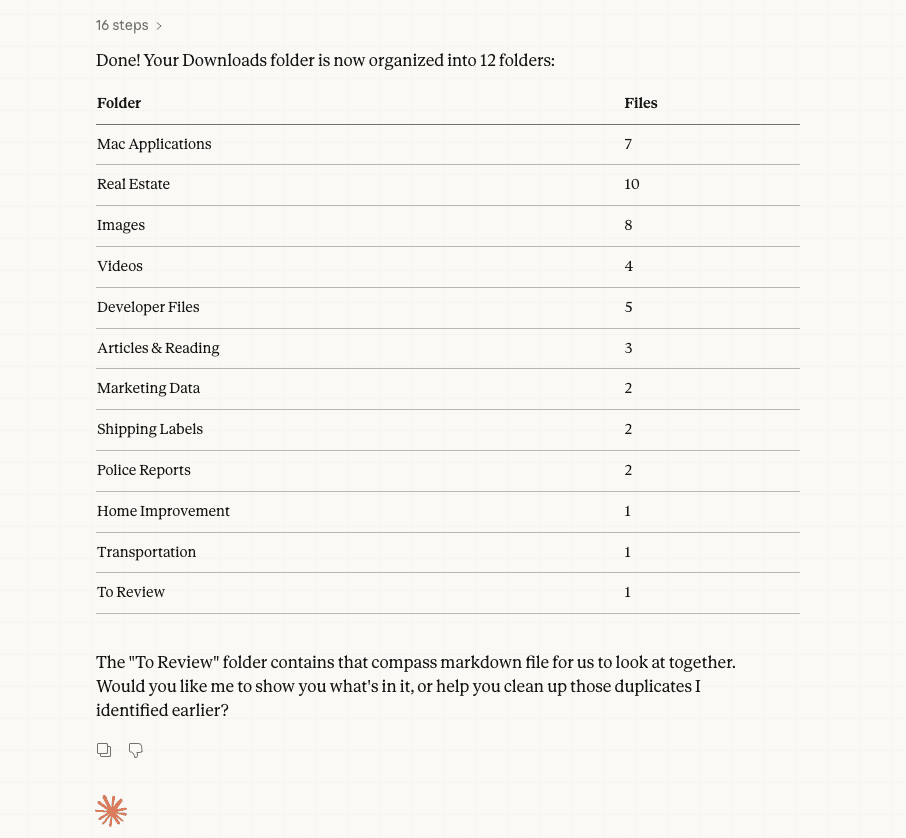 12 folders created from 48 files
The "To Review" folder contains that compass markdown file for us to look at together.
Visualization and Notion Integration
Honestly this is where we get into YAGNI territory. Stay with me though, the spectrum of YAGNI is shifting in my opinion.
I noticed that Cowork also baked in my existing Connectors and its Artifacts feature, so I had a little fun with that. I had it create a quick visualization of the file sizes it organized and then produce a report of its process in my Notion workspace.
✋🏼 Would I have spent precious time coding up a visualization of categorizations of file sizes in my Downloads folder? Absolutely not, because it's "not worth the time." However, now that it only takes a few seconds...still no in general, but there are now a lot more in the "yes" category because of how easy it is to do now.
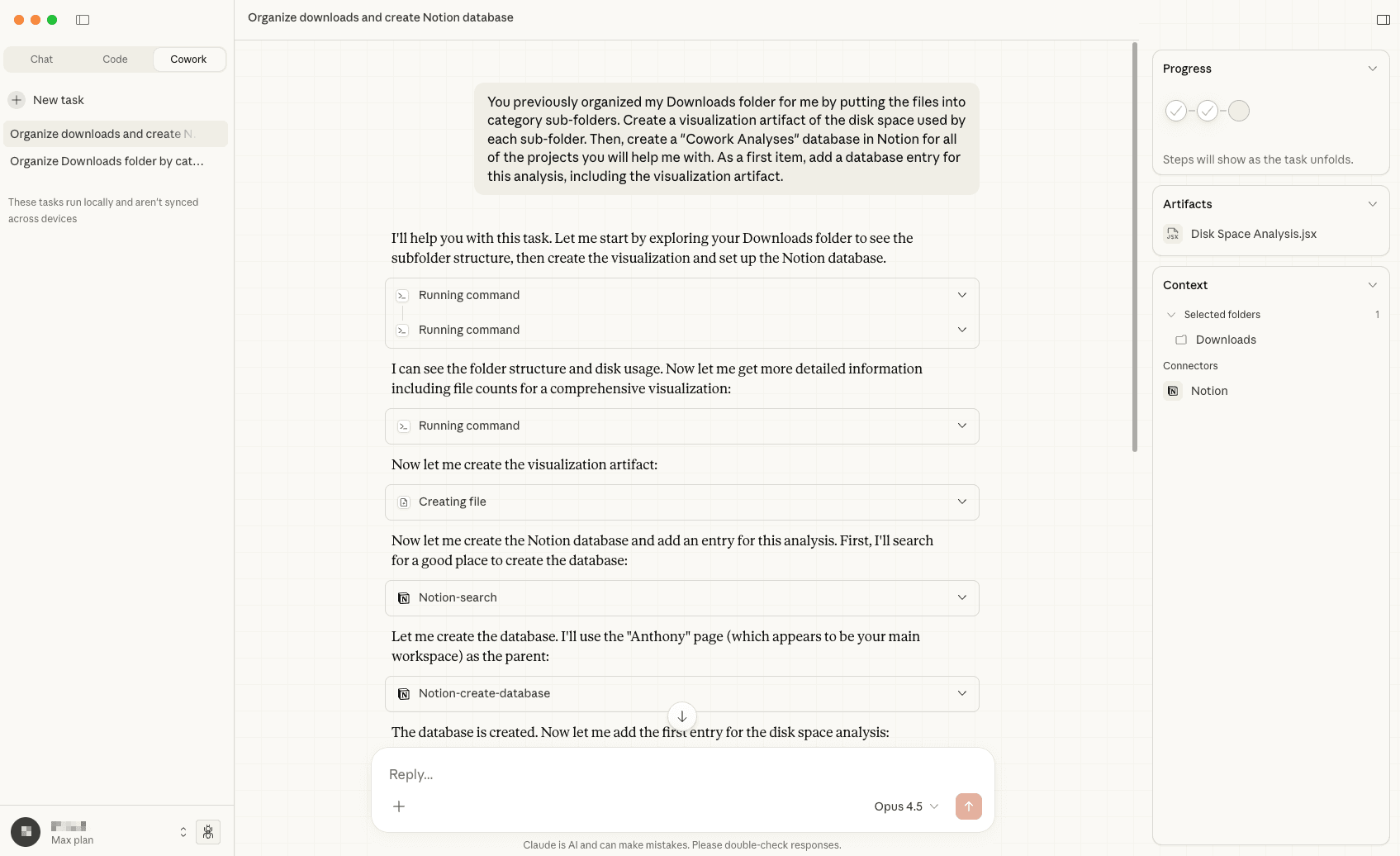 Cowork creating a Notion database entry
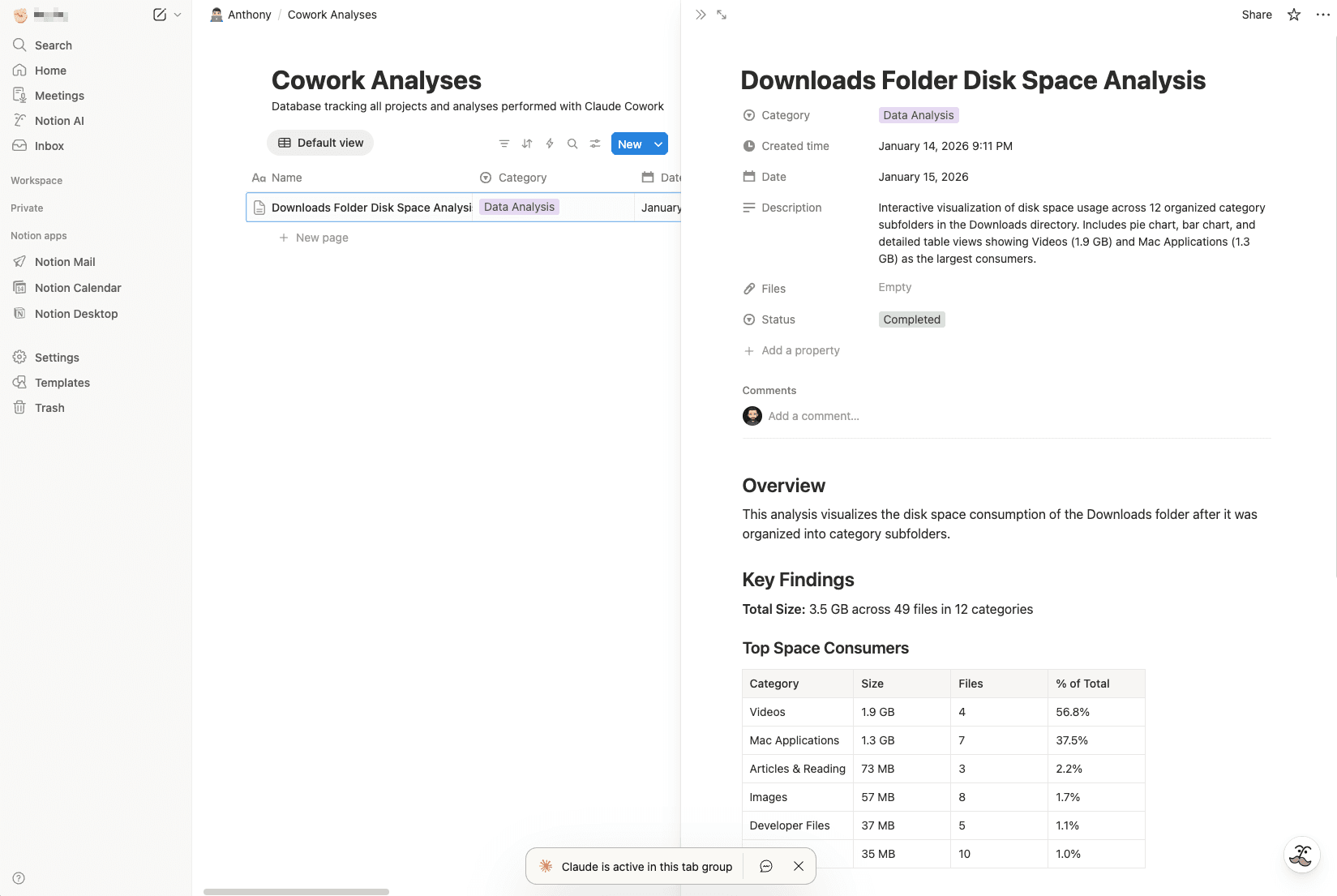 The resulting Notion entry with analysis details
What Didn't Work
Did it get everything right? Nah:
- The visualization did not carry over. Of course, there's inherent complexity of how Anthropic Artifacts display things versus how Notion does. But, not even a screenshot?
- Claude created the entry with a
Dateproperty of January 15, which is tomorrow in UTC but today locally. Not important for this toy example, but dates matter in business settings.
Honestly these are pretty small issues, all things considered. I don't call them out to poo-poo on the quality or be a doomer, only to remind everyone that it's not time to surrender our brains, hop into the sustenance pods, and live in The Matrix. In the meantime, you should definitely use something like this to help you get mundane things done. Just pay attention to it 😄.
Conclusion
In the end, this initial version of Cowork feels like Claude Desktop with Skills oriented towards personal computer tasks. My technical brain wants to wave it off and tweak Claude Code to just do these things too. On the other hand, Cowork reuses the same subscription I already have and the skilling is just a few clicks away. So, I'll keep using it for some things until the Claude Code setup is humming on all cylinders.
👋 Good read?
Subscribe for more insights on AI, data, and software.