
Building an Agent Chat UI with AG-UI, FastAPI, and LangGraph
- #artificial-intelligence
- ·#code
 AG-UI LangGraph chat demo
TL;DR
This post walks through building a chat UI for a LangGraph agent using AG-UI and FastAPI. The backend wraps your LangGraph agent with CopilotKit's LangGraphAGUIAgent and streams SSE events through a single FastAPI endpoint. The frontend uses AG-UI's React hooks (useCoAgentStateRender, useCopilotAction) to render agent state and tool outputs. The result is a clean separation between agent logic and UI with minimal boilerplate.
Introduction
CopilotKit has the AG-UI Interactive Dojo, which is a nice demo site that shows how to integrate AG-UI with various different agent and backend frameworks. Even still, I find a lot of value in reproducing an example to fit the exact setup that I want. In particular, I wanted to guarantee:
- It works in an independent setup
- It works with a self-hosted FastAPI server and a self-hosted LangGraph agent
When you click through demos or copy-paste-run code without thinking much about it, it's too easy to be using magic sauce or external services that won't transfer into your own use case. Setting up this quick example nipped all that in the bud (as we'll see, it satisfied both constraints).
Components to Emphasize
AG-UI
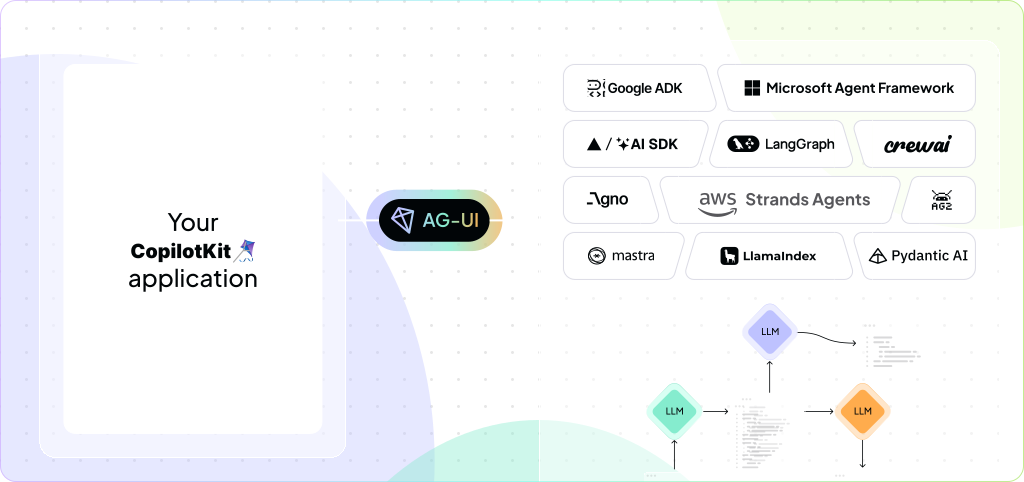 AG-UI Overview Visualization
AG-UI (Agent User Interaction Protocol) is an open protocol that standardizes how AI agents communicate with frontend applications. It's very flexible with respect to different setups; you can easily integrate it with a long list of trusted vendors or use middleware to quickly glue together bespoke systems.
LangGraph
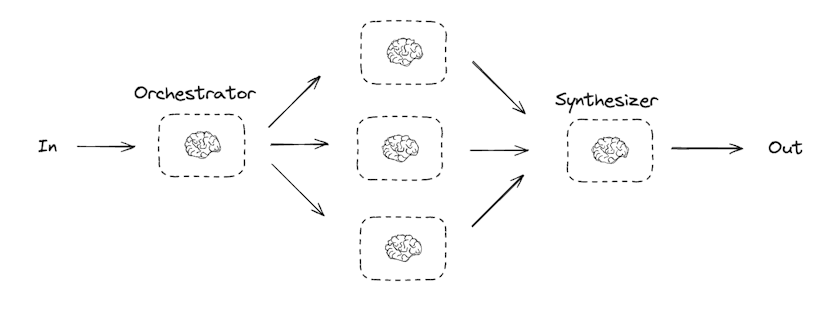 Orchestrator Pattern with LangGraph
LangGraph is a framework for building stateful, multi-step agents. It's built on top of LangChain, which is a framework for building language model applications in general. I've had mixed feelings about LangChain over the years, but LangGraph IMO both adds value (e.g. ReAct agents all the way to full DAG control of agent execution flow) while improving on the abstraction layers provided.
FastAPI
from typing import Union

from fastapi import FastAPI

app = FastAPI()


@app.get("/")
def read_root():
    return {"Hello": "World"}


@app.get("/items/{item_id}")
def read_item(item_id: int, q: Union[str, None] = None):
    return {"item_id": item_id, "q": q}
FastAPI is a modern, high-performance Python framework for building APIs. It's Pythonic, easy to use, and has a great community. If your backend is written in Python, you should probably use FastAPI unless you have a good reason not to.
Why Use AG-UI and LangGraph Here?
LangGraph excels at building stateful, multi-step agents, but does not provide a canonical UI layer (and rightfully so). AG-UI bridges the gap:
- Flexible integration with numerous back ends
- State synchronization between frontend and backend
- Composable components for building bespoke, immersive agent UIs
While I'm happy to chisel my own components to fit specific needs, I also want to stand on the shoulders of giants and focus on other things. Handle the plumbing. Give me a strong UI foundation. Give me a way to build my own composition of agent capabilities and UI components on top of it. Get out of the way.
Analyzing the Back End
from copilotkit import LangGraphAGUIAgent

from src.agent import graph

app = FastAPI(title="LangGraph Agent Server")

agent = LangGraphAGUIAgent(
    name="agentic_generative_ui",
    description="An example agent to use as a starting point for your own agent.",
    graph=graph,
)


@app.post("/")
async def agent_endpoint(input_data: RunAgentInput, request: Request):
    """Main agent endpoint - streams SSE events."""
    encoder = EventEncoder(accept=request.headers.get("accept"))
    logger.info(f"Received input data: {input_data}")

    async def event_generator():
        try:
            async for event in agent.run(input_data):
                yield encoder.encode(event)
        except Exception:
            logger.exception("Error during agent streaming")
            raise

    return StreamingResponse(event_generator(), media_type=encoder.get_content_type())
I like how introducing CopilotKit into the mix allows me to keep the endpoint point definition and agent logic still separate. There's not a bunch of brittle boilerplate code to worry about and most of the logic in the wrapper object is for handling the structured streaming.
Analyzing the Front End
export default function AgenticGenerativeUIPage() {
  // Register the task progress renderer
  useCoAgentStateRender<AgentState>({
    name: "agentic_generative_ui",
    render: ({ state }) => {
      if (!state.steps || state.steps.length === 0) {
        return null;
      }
      return <TaskProgressCard steps={state.steps} />;
    },
  });

  // Keep weather tool for backend rendering
  useCopilotAction({
    name: "get_weather",
    description: "Get the weather for a given location.",
    available: "disabled",
    parameters: [{ name: "location", type: "string", required: true }],
    render: ({ args }) => {
      return <WeatherCard location={args.location} />;
    },
  });

  return (
    <div className="h-screen w-screen flex flex-col bg-gray-100">
      {/* Header */}
      <Header />

      {/* Main Chat Area */}
      <div className="flex-1 overflow-hidden flex justify-center items-center p-6">
        <div className="w-full max-w-[60%] h-full max-h-[90%] bg-white rounded-2xl shadow-xl overflow-hidden">
          <CopilotChat
            className="h-full"
            labels={{
              title: "Agent Chat",
              initial:
                "Hi! I'm an agent that can help you with tasks and show progress as I work. Try asking me to create a plan for something!",
            }}
            suggestions={[
              {
                title: "Simple plan",
                message: "Please build a plan to go to mars in 5 steps.",
              },
              {
                title: "Complex plan",
                message: "Please build a plan to make pizza in 10 steps.",
              },
              {
                title: "Weather",
                message: "What's the weather in New York?",
              },
            ]}
            UserMessage={CustomUserMessage}
            AssistantMessage={CustomAssistantMessage}
            Input={CustomInput}
          />
        </div>
      </div>
    </div>
  );
}
There's more nuance here to discuss.
First, it's decently pluggable, allowing you to inject your own custom components for the user message, assistant message, and input.
You also get various hooks like useCopilotAction to register action-specific components to render and useCoAgentStateRender to render the shared agent state.
The ideal for composability, in my opinion, is more along the lines of Assistant UI, which enables actual composition (i.e. nesting) of UI components to construct the interface. Additionally, you'd need to do extra work to share context like "how to render the weather component" without coupling too much with the back end. I'm looking at A2UI next, which seems targeted towards this end, so TBD on that.
Conclusion
Overall, I'm happy with the result. The framework is designed well and lends itself to extension without a lot of papercuts. I'm especially interested in AG-UI recently due to the significant support/collaboration Google has put into it. Like I said before, I want to stand on the shoulders of giants and focus on other things; so where it makes sense, I'll follow the giants.
Resources
👋 Good read?
Subscribe for more insights on AI, data, and software.